
Working on a drama surfaces all kinds of problems that look like bugs. Most have a clear cause. Checking by symptom beats trial and error.
This post is organized by symptom. Find yours and go.
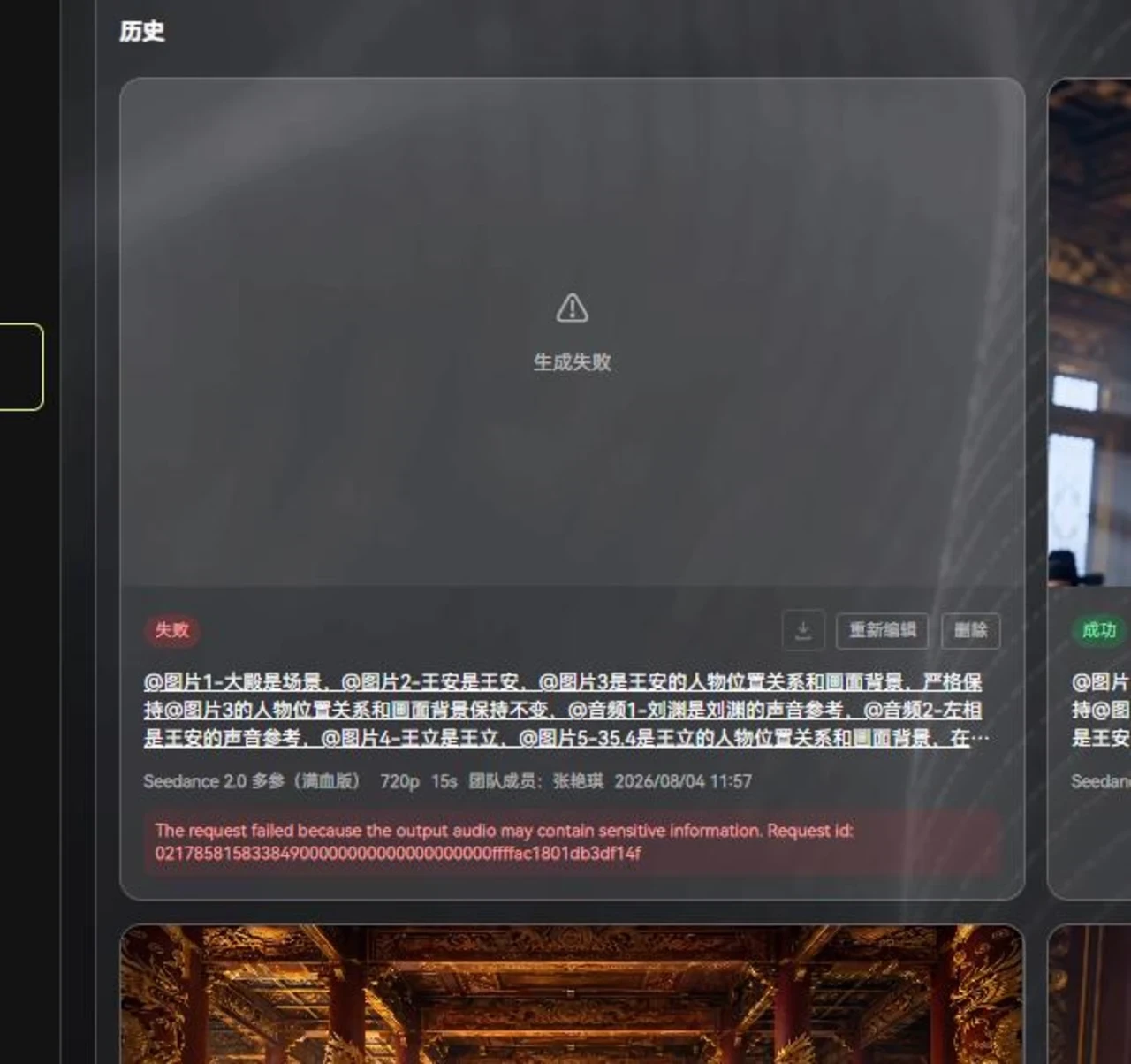
1. Image Generation Reports an Error
The most common cause: a sensitive word was hit.
Try these in order:
- Change the scene description, avoid the flagged expression
- Swap in a synonym (“bloodstain” → “dark red mark”, “fight” → “two people grappling”)
- Remove detail that might trigger the filter
- Regenerate
If three rounds of rewording still fail, check the reference image itself (a reference with sensitive content triggers it too).
2. Credit and Allowance Issues
2.1 “Insufficient credits”
First work out which allowance you hit:
| Level | Description |
|---|---|
| Team daily cap | By default a team can spend up to the equivalent of 2,000 RMB in credits per day; admins can change it |
| Team total credits | What’s left in the team account |
| Personal allocation | Whether the member’s allocated credits are used up |
Check in this order: whether you were allocated credits at all, then the team total, then whether you hit the daily cap.
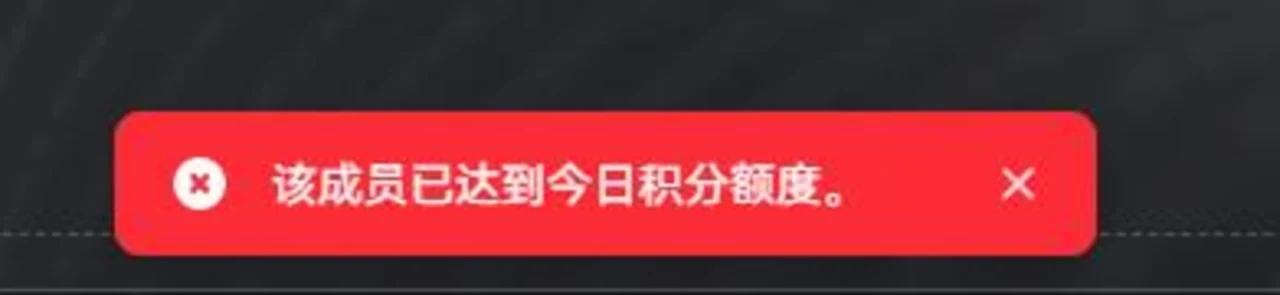
2.2 You Have Credits but Still Can’t Generate
You probably hit the daily cap. It resets per day and comes back the next day. Admins can change the value in team management.
2.3 How to Control Spend
- Test with low resolution + short duration during preview
- Make one sample before batch generating
- After three consecutive failures on the same prompt, stop and rewrite the description instead of drawing again
For detailed cost management see Team Compute Allocation and Account Setup.
3. Script Limits
3.1 Script Exceeds the Word Limit
Two hard limits:
- No more than 50,000 characters total
- No more than 2,000 characters per episode
Trim if you go over. 20 episodes × 2,000 characters = 40,000 characters, which is enough density for a normal short drama.
3.2 Episodes Split Incorrectly
The system splits episodes on episode / chapter / act markers.
Recognized: Episode 1, Chapter 1, Act 1 — one of these words followed by a number.
Not recognized: EP01, 1-1, 01, plain blank-line separation.
If it doesn’t split, fix the headings in the source and re-upload — faster than patching by hand in the editor. Details in Before You Upload a Script: Episode Format and Word Limits.
3.3 Upload Fails
- Check file size: script files max 50MB
- Check format: TXT / PDF / DOCX / DOC are supported
- Scanned PDFs (image-based) can’t be text-extracted; OCR them first
4. Video Generation Issues
4.1 Reference Media Won’t Upload
Each type has a hard cap:
| Type | Limit |
|---|---|
| Image | Up to 9 |
| Audio | Up to 3 MP3 files, 15 seconds total |
| Video | Up to 3, each 2–15 seconds, 15 seconds total, 50MB each |
Over the limit means trimming or splitting.
4.2 Real-Person Images Need “Real Person Clearance” Checked
When using Seedance 2 with images that contain real people, you must check “Real Person Clearance”. If you don’t, the upload fails or generation fails.
4.3 Characters Deform in Motion
Three fixes:
- Add a constraint to the prompt: “keep facial features and clothing consistent”
- Upload a character reference image and refer to it in the prompt (“the character in reference image 1”)
- Reduce motion complexity — split one long action into two shots
4.4 Generation Is Slow
Factors: model, resolution, duration, current queue depth.
To shorten the wait: test the direction at low resolution, then go high resolution on the final.
5. Director Stage
5.1 Won’t Open, Says WebGL Is Not Supported
Hardware acceleration is off in the browser.
Fix: turn on “Use hardware acceleration” in browser settings → restart the browser.
5.2 Shortcuts Don’t Respond
Focus isn’t on the canvas. Click the canvas once, then press.
6. Final Cut Export
6.1 Export Button Is Disabled
Usually because some storyboards have no generated video. Check the timeline episode by episode for gaps and generate the missing storyboards.
6.2 Audio and Picture Out of Sync
Each of the three modules has its own timeline; if any one is off, the whole thing is off. Check each:
- Voiceover duration vs storyboard duration
- Subtitle duration vs speech duration
- Whether the episode end runs past the timeline
6.3 Subtitles Full of Typos
Auto-generated subtitles must be proofread by a person, especially names and proper nouns.
7. A General Troubleshooting Order
For any generation problem, go in this order:
- Read the message: the error text usually points straight at the cause
- Recall what you changed last: the most recent parameter change is the prime suspect
- Retry with minimal settings: low resolution, short duration, simplified prompt
- Try a different asset: rule out the input
- Still stuck? Write it down: screenshot + steps + time. It halves the back-and-forth with support