
Not every project starts with a script. Sometimes all you have is an episode plan, a batch of character designs, or you simply want to figure things out as you go. That’s when you use Free Mode (manual).
Free Mode doesn’t require a script upload. You work step by step from assets to shots to final cut, at your own pace. The cost is that you maintain the structure yourself; the benefit is that you can step into any stage at any time.
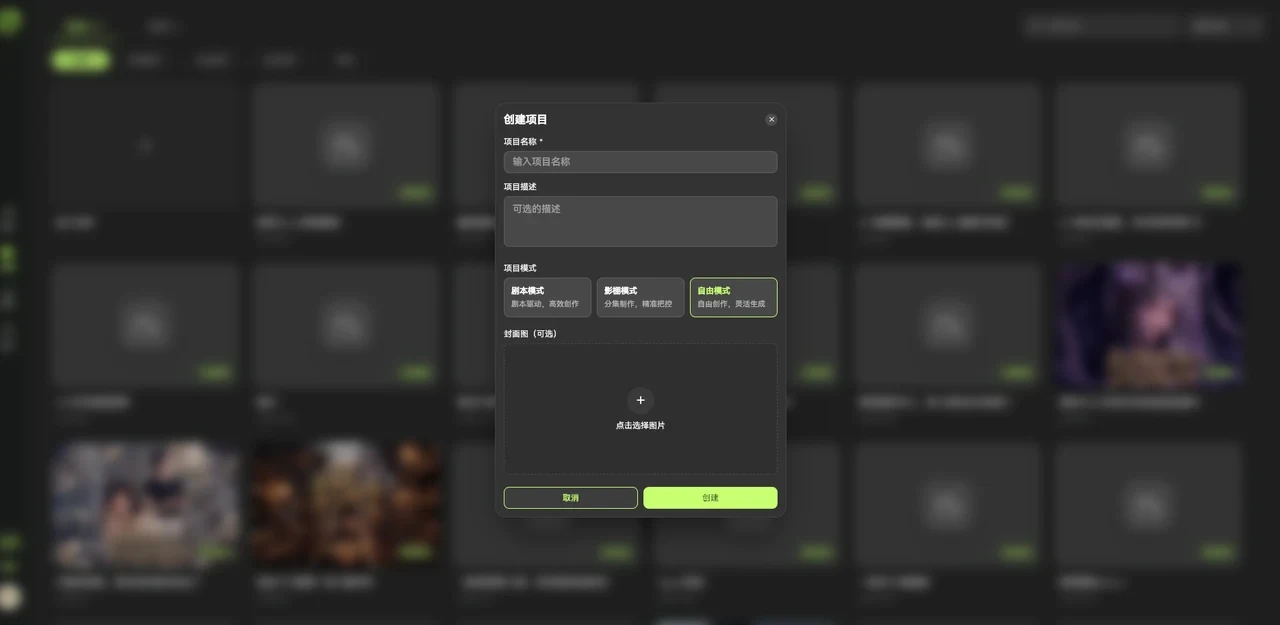
1. Creating a Project: Only Three Fields
On the project list page, click “Create Project” in the top-right corner, then pick the “Free Mode” card in the dialog.
| Field | Required | Notes |
|---|---|---|
| Project name | Required | For example, “Free Mode Demo Project” |
| Project description | Optional | One sentence on what the project is; shown on the overview page |
| Planned episodes | Required | Integer between 1 and 200 |
The biggest difference from script mode: there is no script file field. Planned episodes is the only hard constraint here, and it determines how many slots are reserved in the episode folders.
Don’t pick the episode count arbitrarily. If you enter 30 episodes but only make 5, the progress percentage on the overview page will look bad the whole time, and the team will misjudge progress from the numbers. Enter a conservative number first and adjust later.
After the project is created, the system jumps to the “Overview” tab of the project detail page.
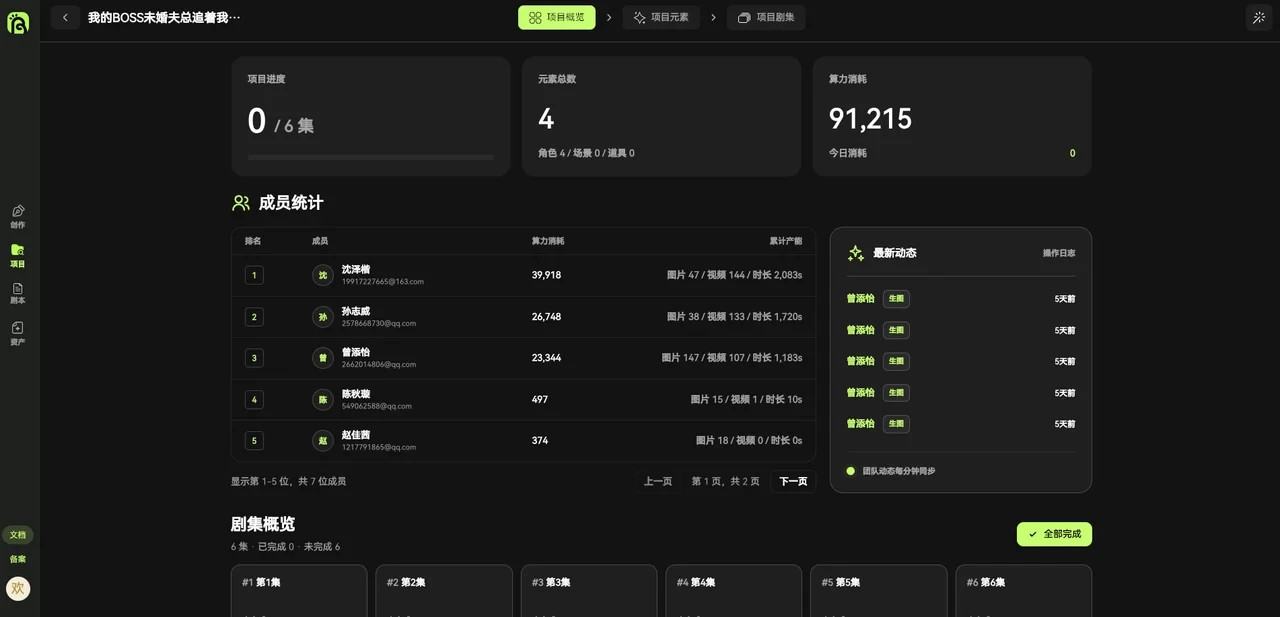
2. Overview Page: The Team Lead’s Control Console
The Free Mode overview page has four blocks, and together they are the entire basis for tracking project progress.
2.1 Series Summary
An editable project description. Click “Edit” to change it.
This is the only place in the whole project where you explain direction in natural language. Cover three things clearly: what genre this series is, where it stands right now, and what the next milestone is.
2.2 Project Overview
Three core metrics:
- Overall project progress percentage
- Total assets
- Compute consumption
Read the three numbers together:
| Symptom | Likely Problem |
|---|---|
| High progress, few assets | Assets are incomplete, so shots lack references |
| Many assets, low progress | Stuck in shot generation; check the failed items first |
| Compute climbing fast, progress flat | You’re burning generations for nothing; stop and rewrite the prompts |
2.3 Member Stats
Shows each member’s compute consumption and cumulative output. The “+ Invite member” button on the right brings more people in.
With multiple people collaborating, this block is the cost ledger. How much compute one person burned in a day and how much finished footage they produced, it’s all here.
2.4 Episode Folders
A grid of all episodes. Each one shows its completion state; click to open it.
This is the entry point you’ll use most. Once the project is set up, 80% of your operations start here.
3. Only Four Sub-Tabs
Free Mode’s sub-tabs are Overview / Assets / Shots / Final Cut, with no “Script” tab.
That’s not a gap, it’s the design. Free Mode assumes you don’t have a finished script, so it doesn’t ship a script editor. You organize the story structure yourself in assets and shots.
If you find yourself constantly needing to “fix the script”, that’s a sign this project should have used script mode. Cleaning up the script and creating a new project is less work than forcing it through Free Mode.
4. When Free Mode Beats Script Mode
- No script, but a clear episode plan: you know it’s 12 episodes and roughly what each one covers, you just haven’t written it as a script
- Material-driven: you already have a batch of character and scene images and want to go straight into the timeline
- Ads, TVCs, short pieces: simple structure, no need for script parsing
- Test shoots: make one episode first to see how it looks before committing to full production
Conversely, if the script is complete, there are many episodes, and multiple people need to push it forward, script mode’s structure pays off.
5. Advice for Setting Up a Project
- Leave some headroom in planned episodes, but don’t inflate it: enter the number you’re sure you’ll make
- State the version in the description: keep v1/v2/delivery versions distinct
- Build assets before touching shots: Free Mode without assets is just blind generation
- Get episode 1 working end to end before scaling up: same as in script mode
6. Next Steps
With the project created, start on assets: Free Mode Asset Management: Manual Add and Batch Generation.